


Wireless sensors watch fridges, freezers, cold rooms and more around the clock. When a reading moves outside its limits, the right people are alerted straight away, and every reading is kept on the record.
Every sensor, every site, all the time.
Your teams see live readings in Sense Tasks. Managers get the alerts and the reports in Sense Manager.
See every sensor
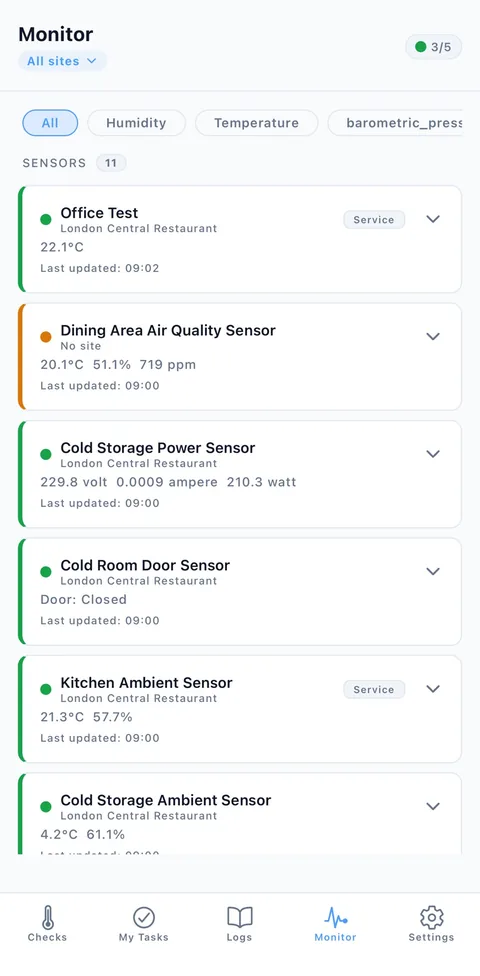
Temperature, humidity, CO₂, door and power sensors report into one list, with a clear status for each.
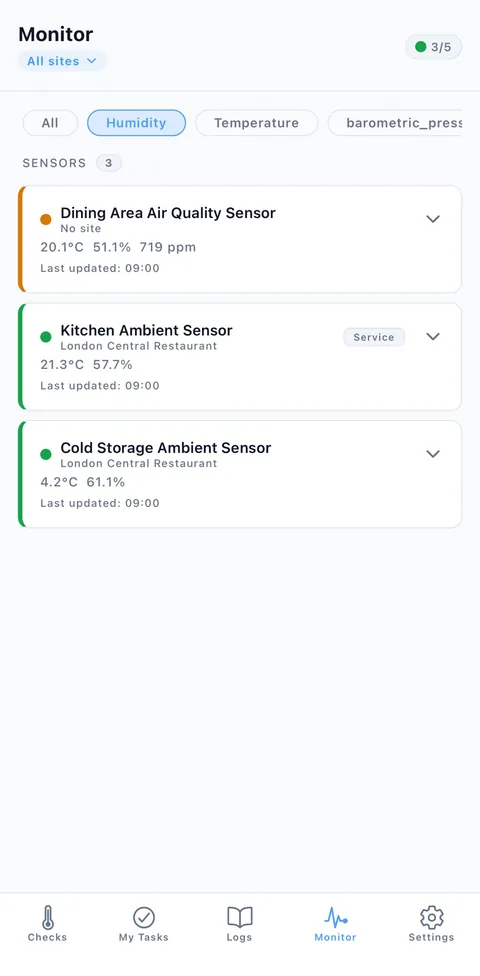
Filter to what matters
Narrow the list by site or by sensor type, such as humidity or temperature.
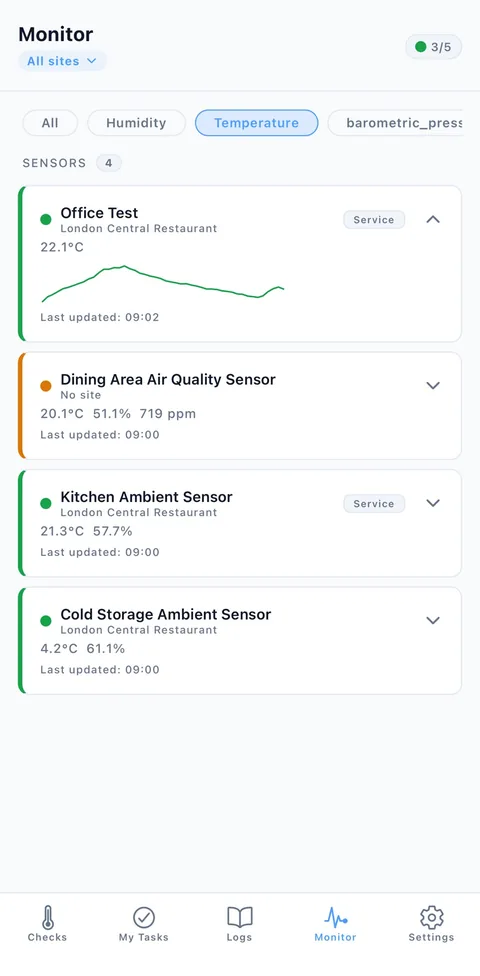
Open a sensor to see its trend
Each sensor shows its latest reading, when it last reported, and how it’s been tracking.
Act on alerts
Out-of-range readings and lost-contact sensors raise alerts managers can acknowledge and resolve in Sense Manager.
Live readings from every sensor
Temperature, humidity, CO₂, door and power sensors all report into one place. Filter by site or sensor type, and open any sensor to see its recent trend.
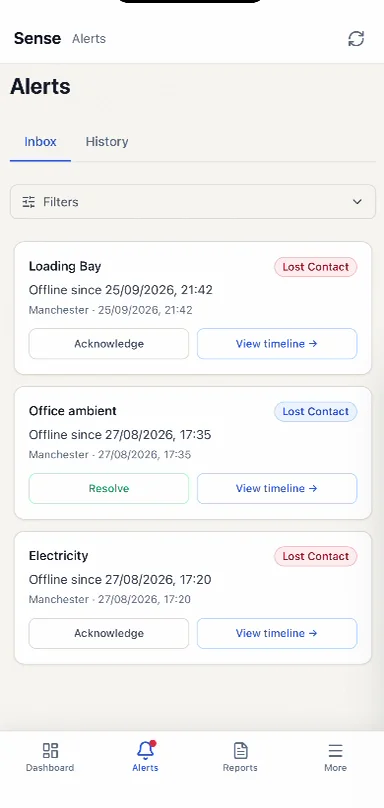
Alerts that reach the right people
When a reading moves outside its limits, or a sensor stops reporting, an alert is raised. Managers can acknowledge and resolve it in Sense Manager, with a timeline of what happened.
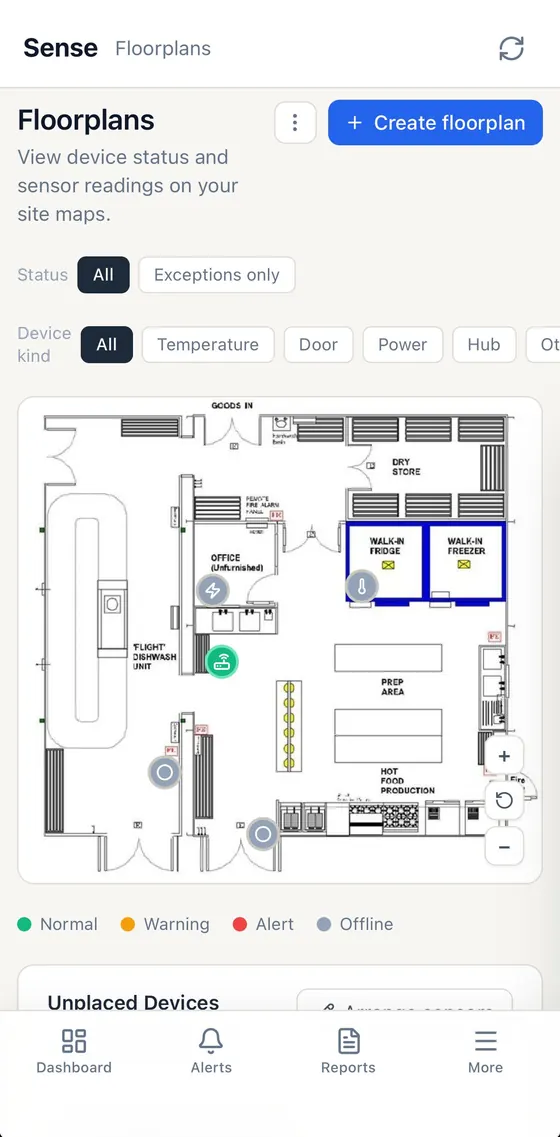
See every sensor on your floorplan
Place sensors on your own site plans to see where everything is and how it’s doing. Switch to exceptions only to see just the sensors that need attention.
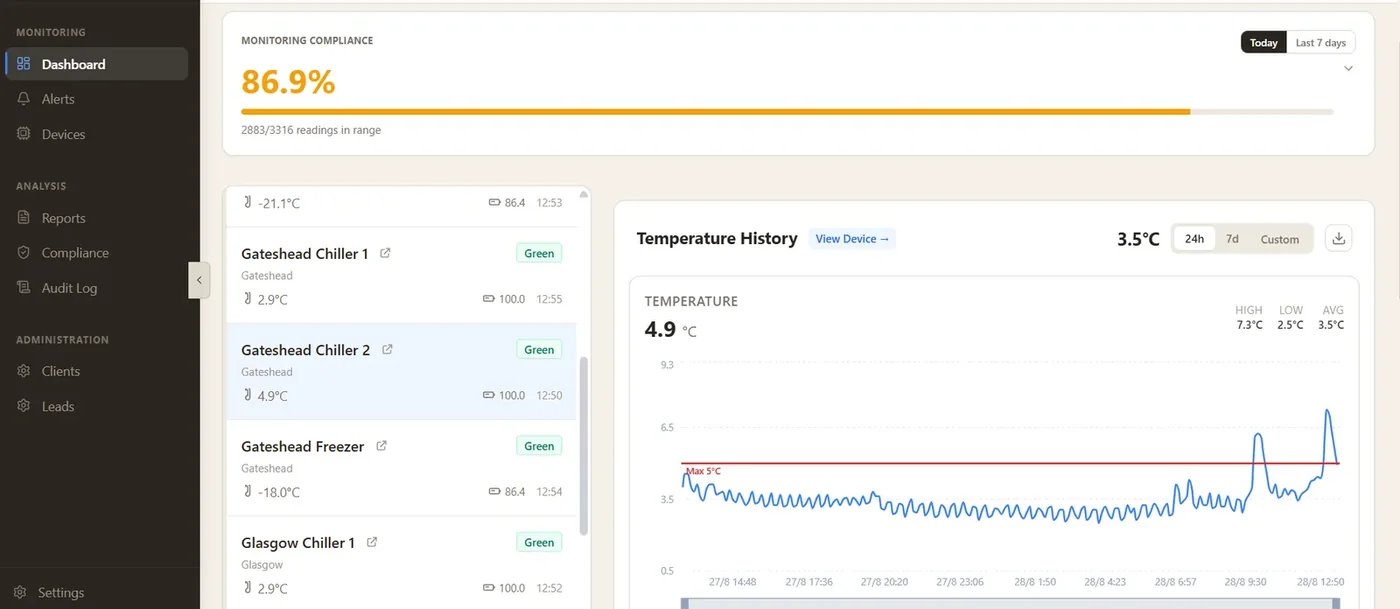
Compliance you can prove
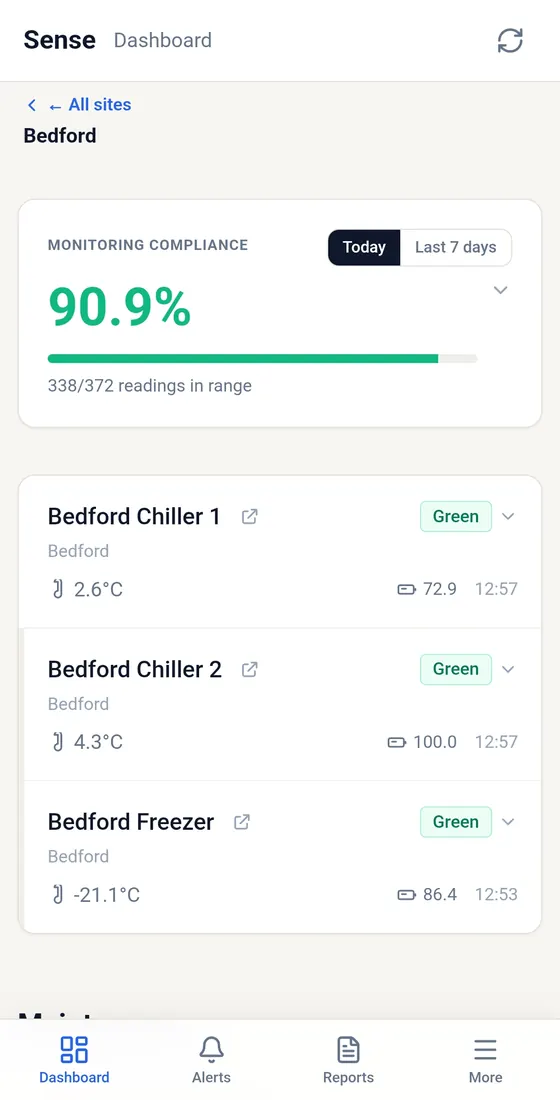
See the percentage of readings within limits for today or the last seven days, and the full temperature history for any device against its limit.
Asset Compliance reports turn it all into a PDF for inspections, including thresholds and breach analysis.
Why monitor with Hawk?
Manual temperature logs only tell you what happened when someone looked. Sensors tell you all the time.
Around the clock
Readings are taken continuously, including overnight and at weekends.
Alerts, not surprises
Get told when something goes out of range or a sensor loses contact.
Records without the effort
Every reading is stored automatically, ready for an inspection.
Every site in one place
See all your sensors and sites together, on your phone or at your desk.
What teams monitor with Hawk.
- Fridges and freezers
- Walk-in cold rooms
- Display chillers
- Dry stores (humidity)
- Air quality (CO₂)
- Door open and closed
- Power supply
- Server rooms
- Laboratory and vaccine fridges
See Monitor on your sites.
Book a demo and we’ll show Hawk running on a setup like yours. Or start free: two modules are free, forever.